
Replacement TV Remote with Fire Voice Control Compatible with Smart TV Stick(HD/Lite/2nd Gen/3rd Gen),4K/4K Max(2nd Gen/1st Gen), TV (3rd Gen/Cube), for Onmi/Insignia/Pioneer




by Doombusy
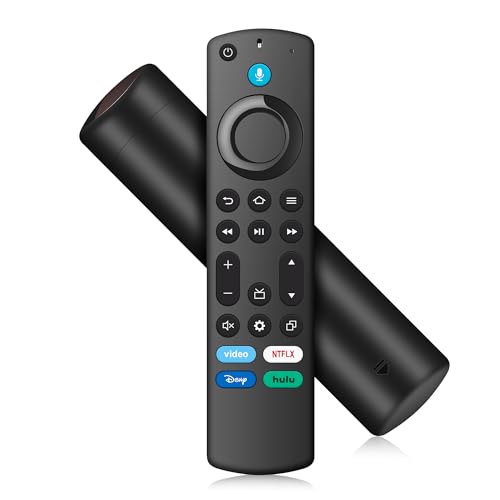
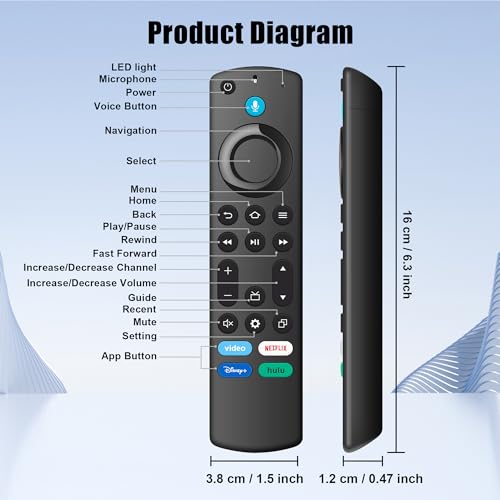
- 【Compatible with】: Smart TV Stick HD, Smart TV Stick 4K Max(2nd Gen), Smart TV Stick 4K(1st Gen), Smart TV Stick 4K(2nd Gen), Smart TV Stick(2nd Gen), Smart TV Stick(3rd Gen), Smart TV Stick Lite, Smart TV Stick Lite(2nd Gen), Smart TV Cube(1st Gen), Smart TV Cube(2nd Gen), Smart TV Cube(3rd Gen), Smart TV (3rd Gen) for Onmi/Insignia/Toshiba/Pioneer, 【Compatible with Remote Model】: For voice remote (2nd Gen/3rd Gen/Lite/Lite 2nd Gen), for Insignia/Toshiba TV remote control (NS-RCFNA-21, CT-95018, CT-RC1US-21, NS-RCFNA-19, CT-RC1US-19) etc, 【Voice Function and 4 Shortcut buttons】: Our voice remote makes searching and controlling your entertainment a breeze. Just hold down the mic button and say commands like "Find action movies," "Skip ahead 3 minutes," "Turn up the volume," or "Pause the show." You can just kick back and binge-watch to your heart's content. Plus, with four dedicated shortcut buttons, you can instantly launch your top streaming apps—no more digging through menus. One click, and you're right where you want to be., 【Easy to Pair】: 1. Please provide 2 AAA batteries (batteries are NOT included with this product). 2. Enter Pairing Mode: Hold down the home button for about 10 seconds until the LED light blinks rapidly. 3. Wait about 30-60 seconds. When the LED blinks, the remote will automatically pair with your device., 【Warm Tips】: Our dedicated support team is here for you every step of the way - from pre-purchase questions to product setup and beyond. Whatever you need, whenever you need it, contact us anytime.