
XikeStor 8 Port 10G Ethernet Switch, L3 Managed 10Gb Network Switch with 8X RJ45 Ports, DHCP/OSPF/BGP/RIP/VLAN/ACL/LACP/ARP/IGMP Supported, Built-in Smart Fan, Desktop/Wall-Mount




by XikeStor
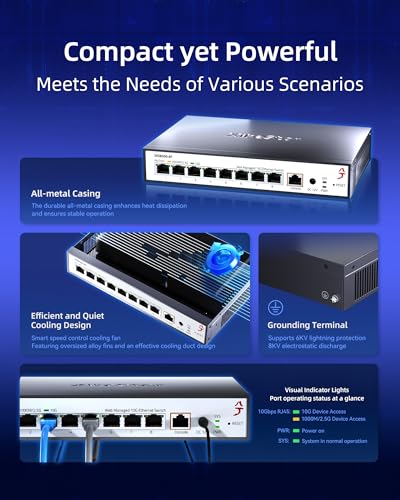
- High-Speed Performance: This 10Gb switch is equipped with high-quality network chips, ensuring full line-speed, non-blocking switching across all ports. Experience minimal forwarding delays and avoid data loss, making it an ideal choice for demanding applications., Versatile Connectivity: Featuring an 8 port 10G managed switch with 8x RJ45 ports that support adaptive speeds of 1G, 2.5G, and 10G. Compatible with various modules and cables, including DAC and AOC, this 10G network switch managed allows seamless connections to a range of devices, including 2.5G/5G/10G NAS, PCs, IP cameras, smart TVs, PCIe adapters or NICs, servers, and 8K video streaming and more., Comprehensive Management Features: With robust support for protocols like DHCP, OSPF, BGP, and VLAN, this 10 gigabit switch managed allows efficient cross-VLAN access and easy management via WEB or CLI, making it a powerful 10 gig network switch for enterprise-level operations., Durable and Efficient Cooling: Built with a sturdy metal casing and featuring a smart fan, this 10Gbps switch excels in heat dissipation, ensuring stable operation and extended lifespan even under heavy workloads. Perfect for continuous performance in various environments., Enhanced Security and QoS: This 10G Ethernet switch supports advanced security features like IP+MAC+port binding and powerful QoS capabilities. Its 8 port 10gb managed switch design ensures effective traffic management and prioritization for a reliable, high-performance networking solution., Easy Management Access: To access the management interface of the switch, first change your network's IP address to 192.168.10.X (where X is any number between 2-254, excluding 12). Then, open a web browser and enter 192.168.10.12. You can log in using the default username and password(admin). After configuring settings, remember to click "Save" button to ensure settings are retained; otherwise, the switch will revert to factory settings if powered off or upgraded.